
Data Analysis
Jump into the world of data analysis with our Data Analysis Bundle. Whether you're new to it or want to get better, we've got easy-to-follow courses. From mastering Excel to using Power BI, we help you understand and use data in today's work world.
Learning outcomes:
- Excel Mastery:
- Dive into the fundamentals of Excel, unraveling its powerful features for data organization, manipulation, and visualization.
- Learn advanced functions, formulas, and data cleaning techniques to transform raw data into valuable insights.
- Powerful Insights with Power BI:
- Unlock the potential of Power BI, Microsoft's cutting-edge business analytics tool.
- Discover how to connect to various data sources, create visually appealing reports, and share compelling insights with stakeholders.
- Becoming a Data Analyst:
- Gain a holistic understanding of the role of a data analyst and the skills required to thrive in the industry.
- Explore best practices in data analysis, data visualization, and effective communication of findings.
- Tableau Fundamentals:
- Discover the intuitive world of Tableau for data visualization.
- Create compelling dashboards and interactive reports to tell a compelling data story.
- Harness the power of Tableau to make informed decisions and drive business success.
- Excel Proficiency: Learn essential functions and formulas for data manipulation and visualization.
- Power Pi Mastery: Explore advanced data modeling using Power Pivot and Power Query, and create insightful reports with Power BI.
- Data Analysis Essentials: Develop skills in cleaning, transforming, and analyzing data for informed decision-making.
- Tableau Fundamentals: Understand the basics of Tableau for creating compelling data visualizations and interactive dashboards.
- Hands-On Application: Apply knowledge through practical exercises, gaining confidence in real-world data analysis.
- Career-Ready Skills: Acquire foundational skills to pursue a career as a data analyst and contribute to data-driven decision-making.

Course 1
In this course you will learn:
- The content of each excel tab.
- How to navigate through your excel sheet.
- How to paste different items either according to their value or format or etc...
- How to access the symbols and the usage of cell types in controlling your activity on an excel sheet.
- How to protect and format your excel sheet using different formulas and functions.
-
Intro
1 minute 3 seconds -
Getting Started
4 minutes 8 seconds -
Tabs
4 minutes 49 seconds -
Navigation
3 minutes 14 seconds -
Paste
3 minutes 47 seconds -
Symbols
1 minute 50 seconds -
Cell Type
3 minutes 35 seconds -
Tables
3 minutes 54 seconds -
Freeze
1 minute 15 seconds -
Protect
2 minutes 16 seconds -
Formatting
9 minutes -
Conditional Formatting
5 minutes 43 seconds -
Formulas (Equal)
2 minutes 28 seconds -
Dollar Sign
6 minutes 34 seconds -
Formulas (IF)
4 minutes 2 seconds -
Formulas (IFs)
5 minutes 43 seconds -
Sum/Sumifs, Average/Averageifs, Count/Countifs
7 minutes 6 seconds -
Vlookup, Hlookup
11 minutes 2 seconds -
Max/Min, Large/Small
5 minutes 21 seconds -
Charts
8 minutes 10 seconds -
Conclusion
4 minutes 22 seconds

Course 2
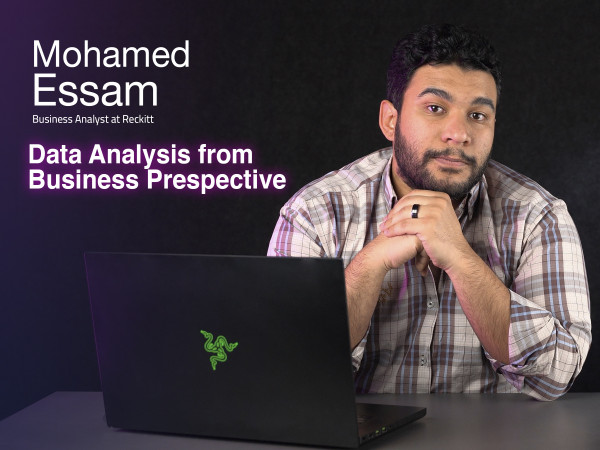
"In this course you will learn:
- What is lookup and reference functions?
- What is power functions and how to use it?
- The difference between IF and IFS function and how to apply it.
- How to mix formulas?
- How to link between different Excel sheets?
- How to create, design and edit pivot tables?
- How to create and design graphs and charts
- What is text functions.
- How to use macro tool?"
Introduction
-
Intro
1 minute 9 seconds
Excel in Advance
-
Excel Secrets
10 minutes 51 seconds -
Lookup and Reference Functions
9 minutes 29 seconds -
"Power" Functions
3 minutes 37 seconds -
"Text" Functions
7 minutes 51 seconds -
Mixing Formulas
7 minutes 9 seconds -
Drop Down List
6 minutes 55 seconds -
Linking Different Excel Sheets
3 minutes 6 seconds -
Pivot Tables
6 minutes 22 seconds -
How to Use Charts and Graphs
4 minutes 39 seconds -
The Magic of Macro Tool
5 minutes 29 seconds -
Conclusion
34 seconds
Course 3
In this course you will learn:
- How to document your data and use pivot table.
- How to manage the data you're inserting and merge it all in one sheet.
- Understand the types of data and how to deal with multiple data.
- What is cleaning and transforming.
- How to adjust the data errors that might appear.
- the importance of the time factor and how to apply it on calculated measures.
- Usage of excel calendar and visualization.
-
Intro to Data Analysis
5 minutes 40 seconds -
Why Pivot Table
4 minutes 47 seconds -
Pivot Table
7 minutes 25 seconds -
Power Pivot
8 minutes 51 seconds -
Data Model
9 minutes 22 seconds -
Connecting with Different Data Types
12 minutes 6 seconds -
Power Query
3 minutes 50 seconds -
Data Cleaning & Transformation
15 minutes 45 seconds -
Intro to DAX Functions
3 minutes -
DAX Functions
9 minutes 27 seconds -
Calculated Measures
11 minutes 55 seconds -
Calendars
6 minutes 38 seconds -
Dynamic Time Intelligence
14 minutes 39 seconds -
Chart Types
11 minutes 5 seconds -
Dynamic Dashboard
11 minutes 22 seconds

Course 4
In this course you will learn:
- The difference between excel sheets and power BI.
- Connecting your data on power BI.
- The different types of relations on power BI.
- How to use Dashboards and slicers in a flexible way.
- How to manage the relations and visualize your data on the form of boards.
-
Intro
2 minutes 27 seconds -
Power BI Layout
2 minutes 8 seconds -
Data Model and Relations
6 minutes 12 seconds -
Power BI Visual
9 minutes 26 seconds -
Dynamic Dashboard and Slicers
14 minutes 4 seconds -
Power BI Service
14 minutes 5 seconds

Course 5
1. Foundational Understanding: The course establishes a solid foundation by emphasising the importance of data visualisation, guiding participants through the installation process of Tableau, and illustrating the practical application of concepts through a compelling case study.
2. Hands-On Data Manipulation: Participants gain hands-on experience in importing and manipulating data within Tableau, exploring diverse visualisation types and transforming raw numerical data into meaningful visualisations.
3. Advanced Techniques: cover advanced visualisation techniques, including trend analysis, outlier detection, and handling multiple variables.
4. Ethical Considerations:, the course underscores the responsibility associated with presenting data visually
5.Storytelling and Interactivity: The course concludes by empowering participants to tell compelling stories with their data through effective dashboard design and interactive storytelling techniques
-
Intro
2 minutes 56 seconds -
Why Data Visualisation
2 minutes 25 seconds -
How to install tableau
2 minutes 9 seconds -
Case study
2 minutes 45 seconds -
Import data to tableau
4 minutes 51 seconds -
Types of visualisations in tableau
1 minute 29 seconds -
From numbers to visualisation
1 minute 16 seconds -
Trend overtime
9 minutes 54 seconds -
More visualisations
9 minutes 35 seconds -
Ethics in data visualisation
4 minutes 10 seconds -
Visual Perception
5 minutes 3 seconds -
Pre attentive attributes
4 minutes 1 second -
Ask you a question
3 minutes 29 seconds -
Outliers
9 minutes 44 seconds -
More than one variable chart
9 minutes 23 seconds -
Working with geographic data
9 minutes 5 seconds -
Creating a dashboard
27 minutes 35 seconds -
Best practice for dashboard
9 minutes 3 seconds -
How to tell a story with data
2 minutes -
Creating interactive story
15 minutes 44 seconds -
Conclusion
2 minutes 9 seconds

Course 6
In this course you will learn:
- How to write a CV in a professional and attractive way.
- Difference between career objectives and career highlights and how to summarize it.
- How to highlight your achievements in your CV.
- How to describe your skills, extracurricular activities, courses, certificates, and personal details in your CV
-
Intro
46 seconds -
Content Details
2 minutes 9 seconds -
Career Objectives
57 seconds -
Education
1 minute 7 seconds -
Work and Internship Experience
1 minute 47 seconds -
Extracurricular Activities
1 minute 56 seconds -
Courses
1 minute 15 seconds -
Certificates
1 minute 30 seconds -
Skills
3 minutes 16 seconds -
Personal Details
1 minute 30 seconds -
Tips & Tricks
3 minutes 37 seconds

Course 7
In this course you will learn:
- The difference between the personal profile and the official company pages.
- The different features of LinkedIn.
- How to build your resume by using LinkedIn?
- How to find the suitable job for you on LinkedIn?
- How to build your network in LinkedIn?
-
Intro
1 minute 16 seconds -
LinkedIn Profile VS. Pages Part 1
7 minutes 25 seconds -
LinkedIn Profile VS. Pages Part 2
13 minutes 44 seconds -
LinkedIn Features
9 minutes 51 seconds -
How to Find Jobs on LinkedIn Part 1
14 minutes 56 seconds -
How to Find Jobs on LinkedIn Part 2
15 minutes 21 seconds -
Networking
4 minutes 21 seconds -
Tips and Tricks
10 minutes 20 seconds
Course 8
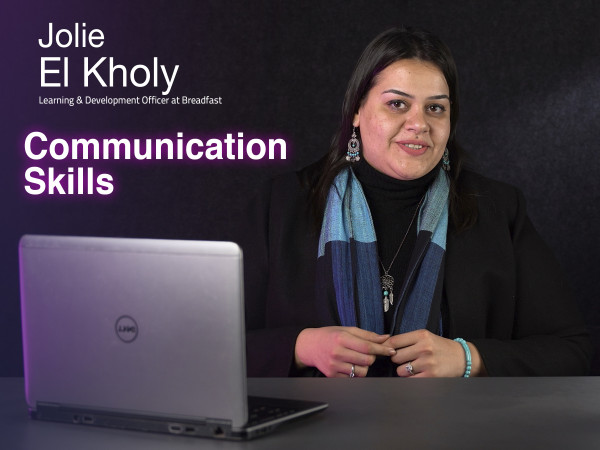
In this course you will learn:
- What is Albert Mehrabian`s theory.
- The importance of context.
- The difference between listening and hearing.
- How to setup your mind.
- What is the ego states.
- How to handle meetings.
- The importance of negotiation skills.
- How to deal with feedbacks.
- How to write formally.
-
Intro
2 minutes 55 seconds -
Communication building block: People
3 minutes 43 seconds -
Communication building block: Message
6 minutes 18 seconds -
Communication building block: Context
5 minutes 7 seconds -
Introvert/Extrovert Misconception
5 minutes 52 seconds -
Listening Traps
7 minutes 31 seconds -
Triggering Points
7 minutes 39 seconds -
Articulating Thoughts
4 minutes 58 seconds -
Transactional Analysis
9 minutes 35 seconds -
Meetings
11 minutes 47 seconds -
Persuasion & Negotiation
6 minutes 21 seconds -
Giving & Receiving Feedback
5 minutes 32 seconds -
Written Communication
10 minutes 30 seconds

Course 9
Freelancing is not for everyone! Some of us can have a hard time with it!
That's why before Joining Lobna Khaled and Freelance Yard for an 11-hour full guide about how to be a freelancer, you will need to make sure that the freelancing lifestyle is suitable for you! (maybe it's not.)
This intro will help you figure out the following:
- Discover Freelancing: Uncover the potential and advantages of freelancing.
- Freelancing expectations vs reality.
- Stand up against fierce competition.
- Navigate Your Career: The 4 career paths for Any Freelancer.
- Create an Actionable Plan: Build a roadmap for success, including portfolio development, and more.
Watch the intro to make a final decision about pursuing freelancing as a career.
-
Intro
1 minute 58 seconds -
Where Do you See yourself After 5 Years?
6 minutes 21 seconds -
Different between Freelancing, Remote Work and other Scenarios
9 minutes 33 seconds -
What it Takes to be a Freelancer?
6 minutes 14 seconds -
What it Takes to be a PERFECT Freelancer
8 minutes 58 seconds -
Freelancers Career Path
6 minutes 54 seconds -
What's True and What's not True about Freelancing
10 minutes 23 seconds -
Deal Breakers
7 minutes 9 seconds -
Action Plan
3 minutes 30 seconds
Course 10
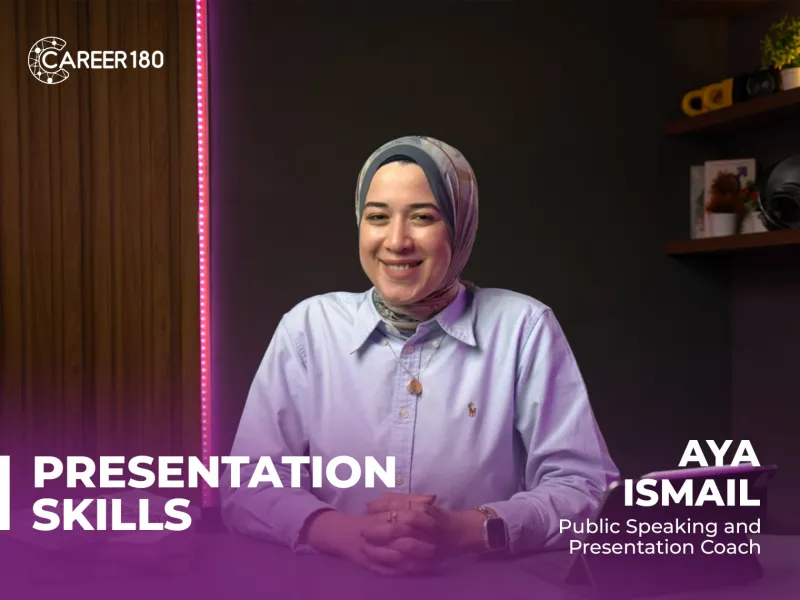
You will learn to:
- Organise and structure your presentations effectively for clear communication.
- Use body language and vocal techniques to engage and connect with your audience.
- Overcome nervousness and build confidence in delivering presentations.
-
Introduction
2 minutes 7 seconds -
Important of public speaking
4 minutes 2 seconds -
Self Confidence
5 minutes 22 seconds -
Body and Hands Movements
9 minutes 36 seconds -
Facial Expression and Eye-contact
9 minutes 30 seconds -
Tonality
9 minutes 6 seconds -
Overcoming Difficulties
5 minutes 51 seconds -
Online Meeting Session
4 minutes 27 seconds -
Conclusion
2 minutes 46 seconds

Course 11
In this course, you will learn:
- The PowerPoint interface and its features.
- The different features of the home tab.
- The different features of the insert tab.
- The different features of the draw tab.
- The different features of the design tab.
- How to make transitions between slides?
- How to make an animation in PowerPoint?
- How to record your presentation?
- The different features of the view tab.
- The different features of the review tab.
-
Intro
59 seconds -
PowerPoint Interface
7 minutes 48 seconds -
File Tab
11 minutes 7 seconds -
Home Tab Part 1
12 minutes 51 seconds -
Home Tab Part 2
11 minutes 36 seconds -
Insert Tab Part 1 (Pictures)
11 minutes 45 seconds -
Insert Tab Part 2 (Tables)
11 minutes 10 seconds -
Insert Tab Part 3 (Albums & Screenshots)
1 minute 53 seconds -
Insert Tab Part 4 (Shapes & Icons)
10 minutes 24 seconds -
Insert Tab Part 5 (Smart Art & Charts)
7 minutes 20 seconds -
Insert Tab Part 6 (Links)
11 minutes 3 seconds -
Insert Tab Part 7 (comments & Text)
8 minutes 48 seconds -
Insert Tab Part 8 (Symbols & Media)
10 minutes 39 seconds -
Draw Tab
3 minutes 24 seconds -
Design Tab
7 minutes 20 seconds -
Transitions Tab
4 minutes 37 seconds -
Animation Tab
7 minutes 21 seconds -
Slide Show Tab
9 minutes 52 seconds -
Record Tab
2 minutes 16 seconds -
Review Tab
6 minutes 27 seconds -
View Tab
4 minutes 39 seconds -
Help & Acrobat
9 minutes 3 seconds

Course 12
In the Fundamentals of AI course, you will learn:
- The basics of artificial intelligence and its key concepts.
- How AI is applied across various industries and real-world scenarios.
- The ethical considerations and challenges of AI development.
- Practical insights into how AI impacts the future of work and technology.
-
Intro
50 seconds -
Definition of AI
3 minutes 6 seconds -
History of AI
2 minutes 56 seconds -
Types of AI
2 minutes 53 seconds -
Application of AI
8 minutes 21 seconds -
Data of AI
3 minutes 17 seconds -
Ethics and challenges AI
2 minutes 7 seconds -
New Careers in AI
7 minutes 35 seconds -
First Next step
3 minutes 10 seconds
Subscriptions
Start watching our recorded courses in different fields with our great experts
1 Month Subscription
Benefits
- Full access to all courses
- Full access to material of courses
- Engage with course instructors
- Get certificate of completion
1 Year
Benefits
- Full access to all courses
- Full access to material of courses
- Engage with course instructors
- Get certificate of completion
3 Months
Benefits
- All one month subscription perks
- Access for three months
- Access for 3 users